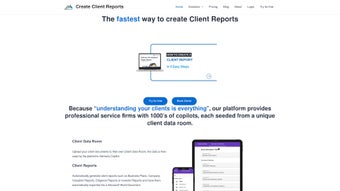

Download Client Reports – AI‑Powered Document Automation for Professionals
Overview of Client Reports
Client Reports is a cloud‑based, AI‑driven document automation tool designed for professional service firms that need to generate polished client‑facing materials quickly and securely. Built around a patented 3‑SHOT APPROACH, the platform first creates intelligent section headers, then populates each section with data‑rich narrative extracted from uploaded source files, and finally refines the language to match a firm’s brand voice. This three‑stage workflow cuts the time required to produce complex deliverables—such as business plans, valuation reports, and investor pitch decks—from days to a matter of minutes.
The solution scales seamlessly from boutique consultancies to multinational advisory firms. Smaller teams can start with a starter subscription that provides access to a core set of templates, while larger organizations can unlock industry‑specific libraries, multi‑user collaboration, and custom pricing tiers that reflect volume usage. Because the core engine lives in the cloud, all updates—including the latest large‑language‑model improvements and security patches—are delivered automatically, eliminating the need for manual upgrades and ensuring that every user always works with the most current technology.
While the AI capabilities are impressive, there are a few practical considerations. Firms that rely on highly specialized reporting formats may need to invest time customizing templates or training the Brand Voice Customizer with representative documents. Pricing, although tiered, can increase substantially for enterprises that generate hundreds of reports each month. Finally, because the platform processes sensitive financial data, organizations must verify that the built‑in encryption, SOC 2 compliance, and GDPR‑ready features meet their internal security policies. Overall, Client Reports delivers a compelling blend of speed, accuracy, and brand consistency for firms looking to modernize their reporting workflow.
Key Features that Power AI‑Driven Reporting
- 3‑SHOT APPROACH: Automated header creation, data‑driven content generation, and final language fine‑tuning in three distinct AI passes.
- Extensive Template Library: More than 150 industry‑specific templates covering finance, real estate, healthcare, technology, and more.
- Data Ingestion Engine: Securely parses PDFs, Excel workbooks, CSV files, and Word documents to extract key metrics and narrative cues.
- Brand Voice Customizer: Trains the AI on a firm’s preferred tone, terminology, and formatting standards for consistent output.
- Collaborative Workspace: Multi‑user editing, comment threads, version control, and permission settings for team‑based report creation.
- One‑Click Export: Generates downloadable PDFs, Microsoft Word files, and PowerPoint decks with a single click.
- Real‑Time Analytics Dashboard: Monitors report generation time, usage statistics, and cost per document.
- Compliance & Security: End‑to‑end TLS 1.3 encryption, AES‑256 at rest, role‑based access, audit logs, ISO 27001 and SOC 2 certifications.
- Scalable Pricing Model: Pay‑as‑you‑go, tiered subscriptions, or custom enterprise contracts with volume discounts.
- Continuous AI Updates: Automatic model upgrades keep language understanding and data accuracy current.
Each feature is purpose‑built to eliminate friction points that consulting teams typically encounter. For example, the Data Ingestion Engine removes the tedious copy‑and‑paste of financial tables, while the Brand Voice Customizer guarantees that every document sounds as if it were authored by a senior partner. The collaborative workspace mirrors modern project‑management tools, allowing analysts, managers, and clients to provide feedback without leaving the platform. Together, these capabilities transform a process that once required days of effort into a matter of minutes, freeing up billable hours for higher‑value advisory work.
Integration is another strong suit. Client Reports connects natively with popular CRM and practice‑management systems such as Salesforce, HubSpot, and Clio, enabling users to pull client data directly into the report generation pipeline. This eliminates duplicate data entry and ensures that the most recent client information is reflected in every document. Meanwhile, the real‑time analytics dashboard equips firm leadership with actionable insights on operational efficiency, helping justify ROI and identify further automation opportunities.
Installation, Usage Instructions, and Compatibility
Getting started with Client Reports is intentionally simple because the product is delivered as a SaaS solution. No traditional installation is required on a local machine. To begin, navigate to www.clientreports.com, click the “Sign Up” button, and follow the guided onboarding wizard. The wizard walks users through four essential steps:
- Select the operating system environment (Windows, macOS, Linux) for optional desktop shortcuts.
- Connect preferred cloud storage (OneDrive, Google Drive, Dropbox) where source documents reside.
- Upload a representative sample of client files to train the Brand Voice Customizer.
- Choose or purchase the template packages relevant to the firm’s industry.
Once onboarding is complete, creating a report follows a three‑step workflow:
- Upload Source Documents: Drag‑and‑drop PDFs, Excel workbooks, or CSV files into the “Data Ingestion” panel. The AI validates file integrity and extracts key metrics.
- Select a Template: Pick a template from the library or a custom version. The 3‑SHOT APPROACH automatically generates section headings, inserts data‑driven narrative, and refines language based on the firm’s style guide.
- Review & Export: Use the built‑in editor for final tweaks, add client‑specific commentary, or approve the draft. Click “Export” to download the report in PDF, Word, or PowerPoint format, or share a secure link with the client.
Compatibility: Client Reports runs on any modern web browser (Chrome, Edge, Firefox, Safari) and offers optional desktop shortcuts for Windows 10/11 and macOS 12+. Mobile apps are available for iOS 14+ and Android 9+, enabling consultants to review drafts on the go. Because the core engine resides in the cloud, performance is consistent across operating systems, and updates are applied automatically without user intervention.
For organizations with strict IT policies, a private‑cloud deployment option is available. This version can be hosted within a company’s own data center or on a dedicated virtual private cloud (VPC), providing full control over data residency, encryption keys, and compliance configurations while retaining the same AI capabilities.
Pros, Cons, and Frequently Asked Questions
Pros
- Rapid report generation reduces turnaround time from days to minutes.
- AI‑driven consistency preserves brand voice across all client documents.
- Extensive template library covers a wide range of professional services.
- Secure cloud architecture with SOC 2, ISO 27001, and GDPR‑ready features.
- Scalable pricing accommodates boutique firms and large enterprises alike.
- Seamless integration with popular CRMs and cloud‑storage providers.
- Real‑time analytics help measure productivity and ROI.
Cons
- Reliance on pre‑built templates may require custom development for niche reports.
- Subscription cost can increase significantly with high report volumes.
- Initial training of the Brand Voice Customizer needs a representative sample of documents.
- Data‑security concerns persist for firms handling ultra‑confidential financial information.
- Limited offline functionality; an internet connection is required for AI processing.
FAQ – Frequently Asked Questions
Can Client Reports handle non‑financial documents?
Yes. The Data Ingestion Engine supports PDFs, Word files, Excel spreadsheets, and CSVs, allowing you to feed market research, strategic plans, and other narrative content into the AI for comprehensive report generation.
Is my data encrypted during upload and storage?
All data is encrypted in transit using TLS 1.3 and at rest with AES‑256 encryption. The platform also supports customer‑managed encryption keys for added control.
How does the pricing model work for growing firms?
Client Reports offers a tiered subscription: a starter plan for up to 20 reports per month, a professional plan for 100‑500 reports, and an enterprise plan with unlimited reports and custom SLA options. Volume discounts apply automatically as you cross thresholds.
Can I customize the AI‑generated language to match my firm’s style?
Absolutely. The Brand Voice Customizer lets you upload sample reports that the AI learns from, ensuring terminology, tone, and formatting align with your firm’s standards.
Is there a free trial or demo available?
Yes, a 14‑day free trial is offered with access to all core features and a limited set of templates. No credit card is required to start the trial.
Conclusion and Call to Action
If your firm is searching for a secure, free‑to‑try (via the 14‑day trial), AI‑enhanced software tool that can automatically generate client‑ready reports on Windows, macOS, Android, or iOS, Client Reports is the answer. The platform delivers a uniquely fast and consistent reporting experience while meeting the rigorous security standards required by financial advisors, legal practices, and other knowledge‑intensive services. By downloading Client Reports today, you gain immediate access to a suite of pre‑built templates, a powerful data‑ingestion engine, and a brand‑voice engine that together ensure every document reflects your firm’s professionalism.
Take advantage of the free 14‑day trial to evaluate how the 3‑SHOT APPROACH can transform your workflow. During the trial you can experiment with real client data, test template customization, and explore the analytics dashboard that reveals time savings and cost efficiencies. When you’re ready to move beyond the trial, simple subscription upgrades let you scale usage without ever worrying about manual software updates or security patches.
Ready to eliminate the bottleneck of manual report drafting? Sign up now to download Client Reports, experience the power of AI‑driven automation, and start delivering secure, up‑to‑date client documents faster than ever before.



.png)



